Templates · Google Sheets
Photographer Business Command Center
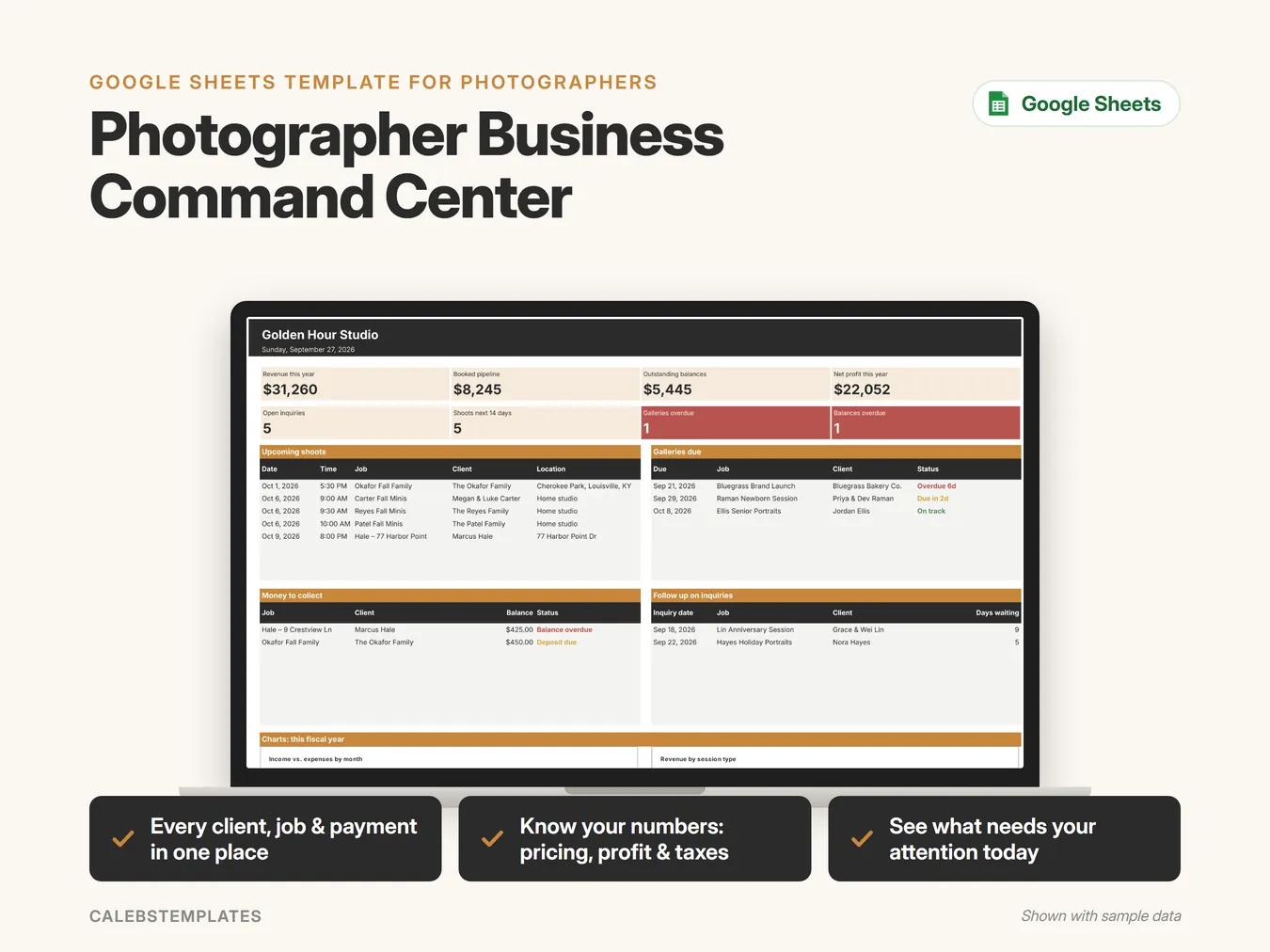
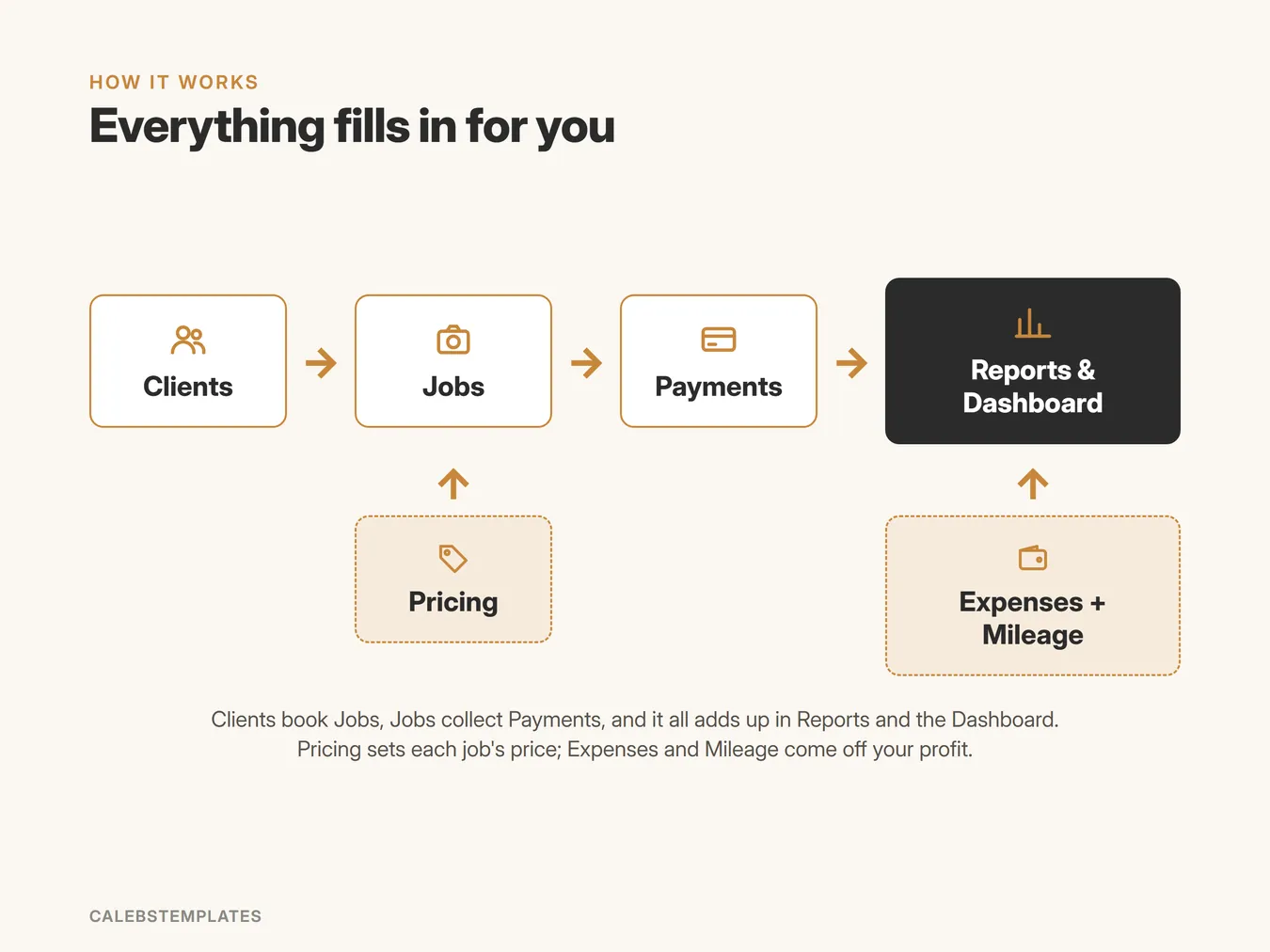
Run your whole photography business from one Google Sheet: clients, jobs, payments, pricing, expenses and reports.
- Every client, job & payment in one place
- Know your numbers: pricing, profit & taxes
- See what needs your attention today
What's inside
- Start HereYour welcome page: a 5-step setup checklist, a map of how the tabs fit together, a guide to every tab with clickable links, and the color legend.
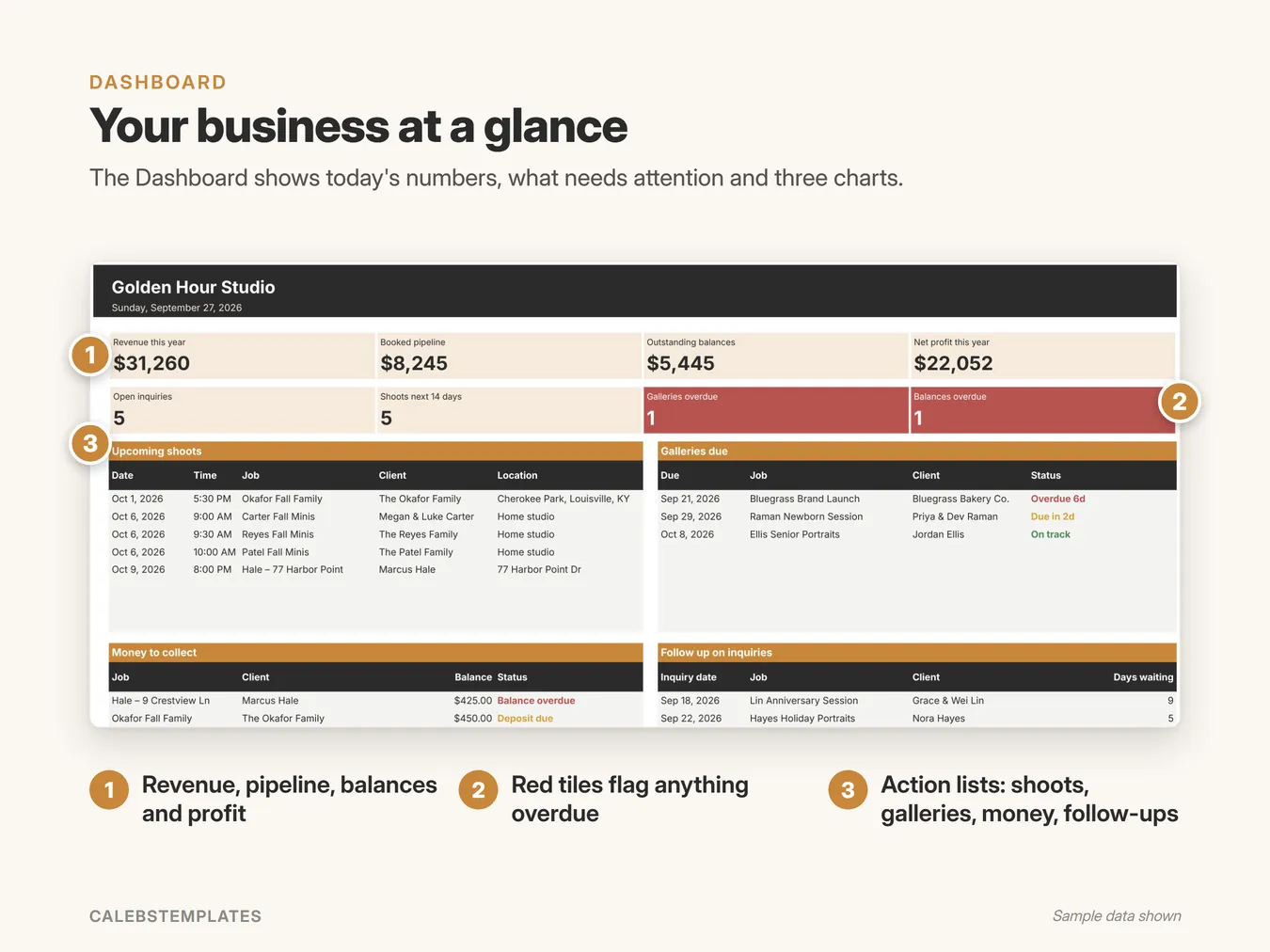
- DashboardToday at a glance: revenue, booked pipeline, balances and profit; open inquiries, upcoming shoots and anything overdue; four action lists and three charts.
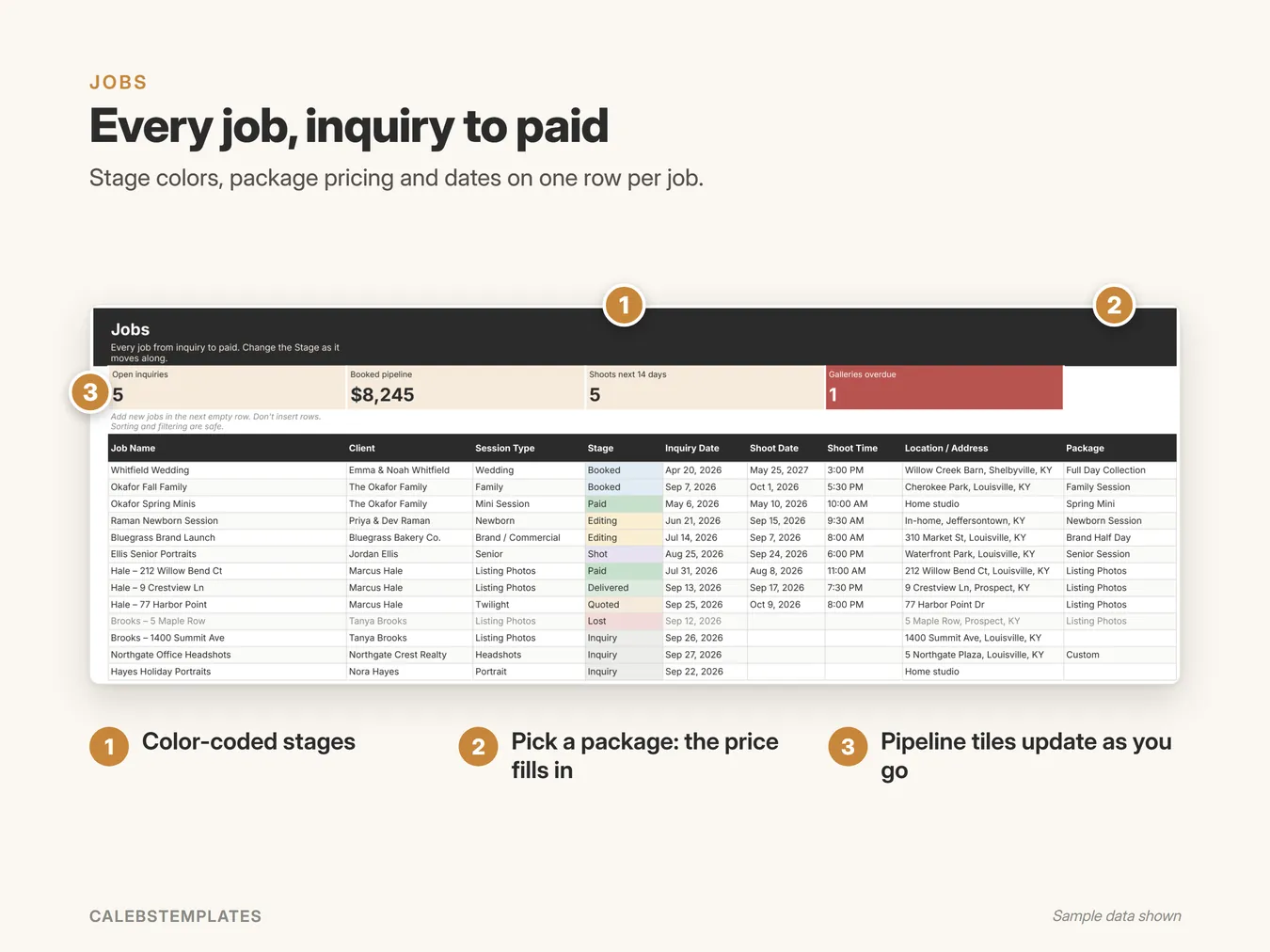
- JobsEvery job from first inquiry to paid. Pick a package and the price fills in; deposit, balance, payment status, gallery due date, delivery status and job profit all calculate.
- ClientsEveryone you work with, with their contact details, lead source, number of jobs, booked revenue, paid to date, balance owed and last/next shoot.
- PaymentsEvery deposit, balance, tip and refund. Each payment updates its job's Paid to Date, Balance and Payment Status.
- Delivery BoardYour editing queue: galleries to start, in progress and delivered in the last 30 days, sorted by what's due first, with your on-time rate and average turnaround.
- Session PlannerA printable shoot plan for any job: the job card (client, date, location), then the timeline, shot list, gear and to-dos.
- InvoiceA printable quote, invoice or receipt for any job, built from its package, add-ons, discount and payments, with the balance due.
- ReportsYour year in numbers: profit and loss by month, expenses by category, quarterly tax set-aside, revenue by session type, lead sources and top agents.
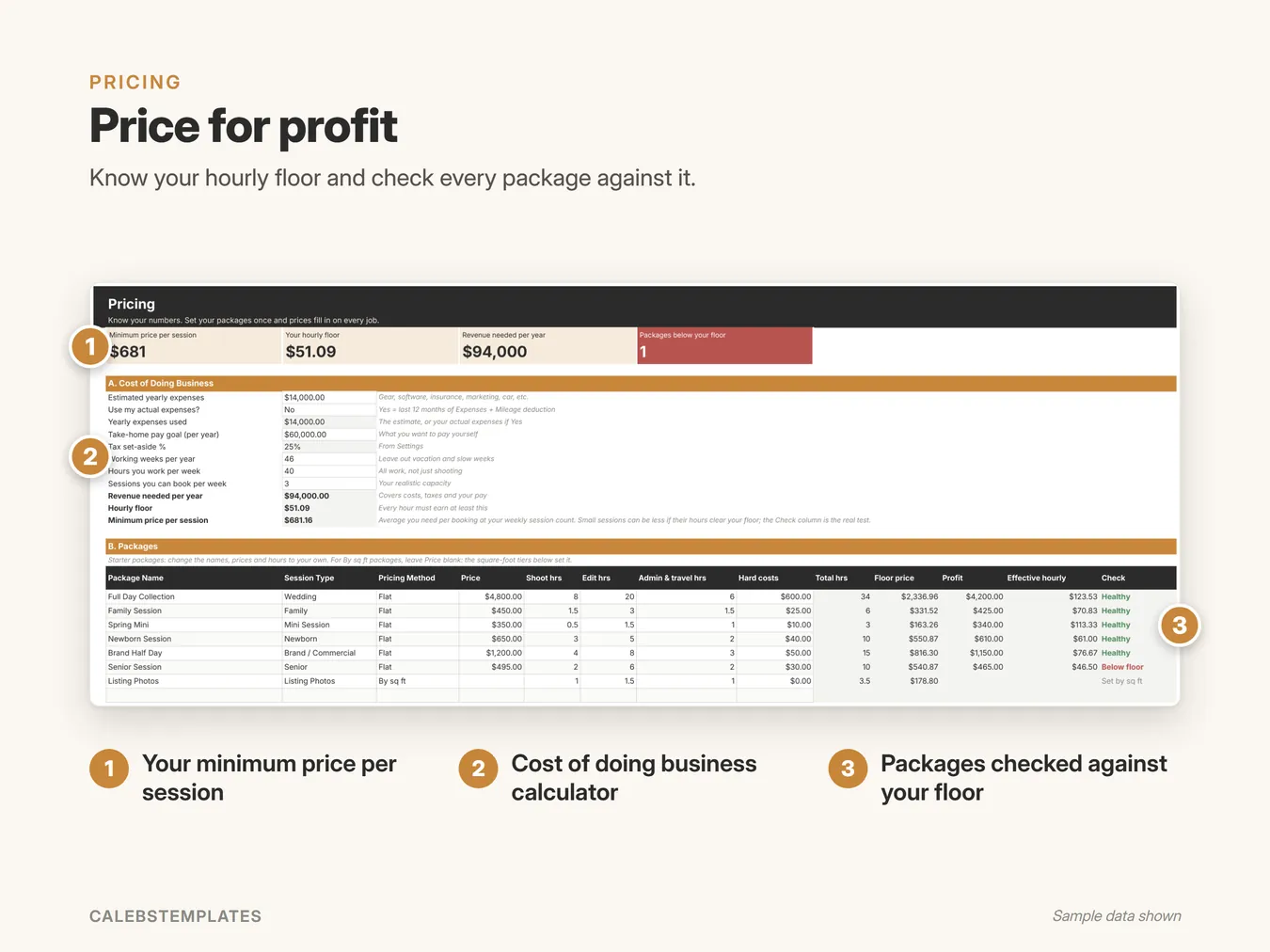
- PricingYour cost of doing business: what you need to earn per year, your hourly floor and minimum price per session, and a package builder that flags any package priced below your floor.
- ExpensesBusiness purchases by category, with business-use %, an optional job link (it counts toward that job's costs) and receipt links.
- MileageBusiness drives and your mileage deduction, using the rate in Settings.
- Plan ItemsShot lists, timelines, gear and to-dos for each job, plus reusable templates by session type (Wedding, Family, Listing Photos and Newborn to start).
- SettingsSet up once: your business info, invoice details, tax %, mileage rate, gallery turnaround, deposit %, balance-due rule, follow-up days, business mode, and every dropdown list.
A closer look
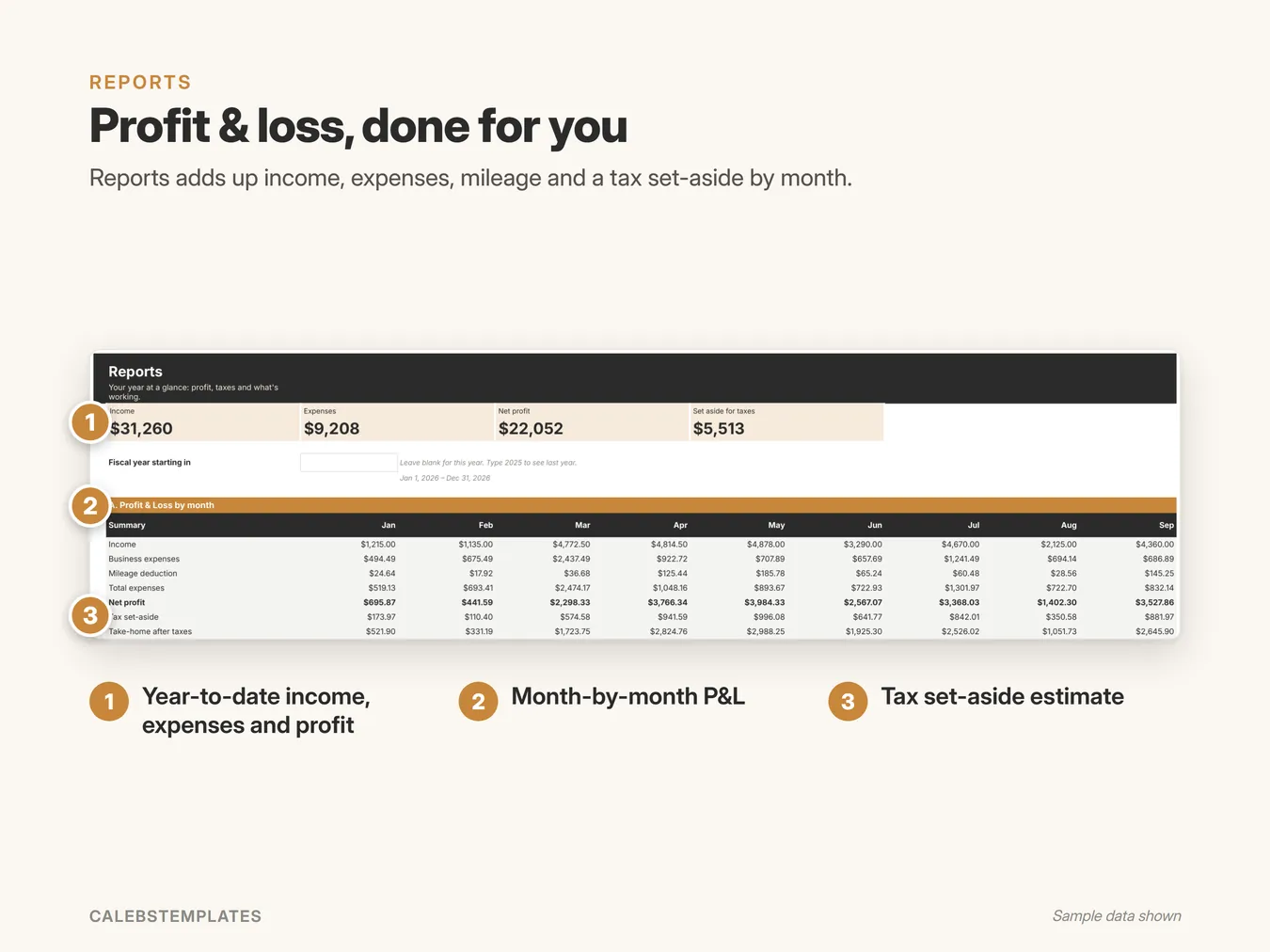
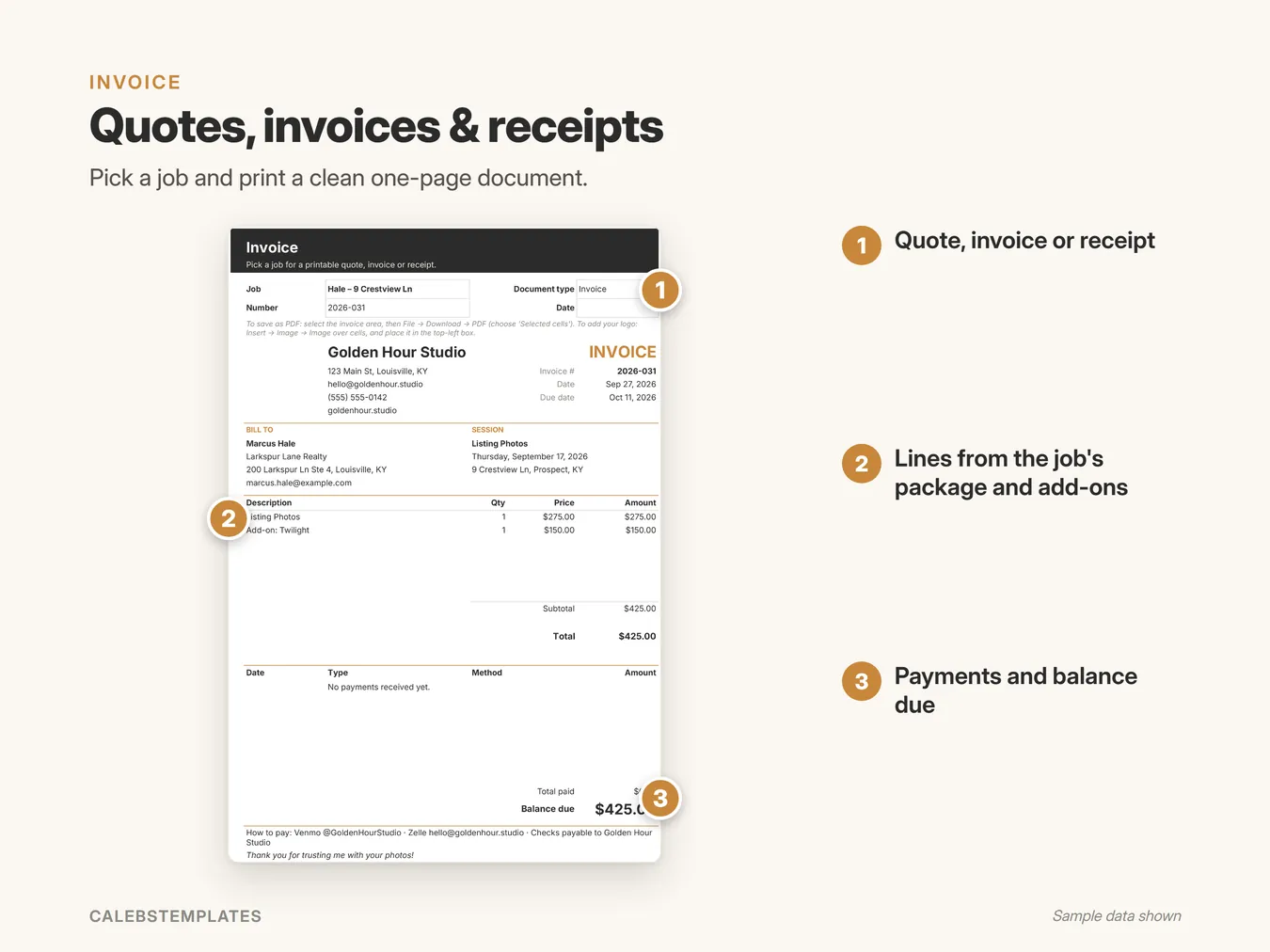
Screenshots show the Sample copy with made-up data.
Get set up in minutes
- Open your copy's Start Here tab.
- Settings: your business info, mode, gallery turnaround and deposit %.
- Pricing: your costs and take-home goal, then your packages.
- Plan Items: tweak the shot-list templates.
- Add your first client on Clients, then their first job on Jobs.
- Bookmark the Dashboard: it's your home page every day.
Good to know
- Google Sheets: you need a free Google account. This isn't an Excel file.
- Works in any browser on a computer, tablet or phone. Setup is easiest on a computer.
- Nothing to install: no add-ons, no scripts.
- You get a ready-to-use copy plus a Sample copy filled with example data, and a step-by-step PDF guide.
Ready when you are
You might also like
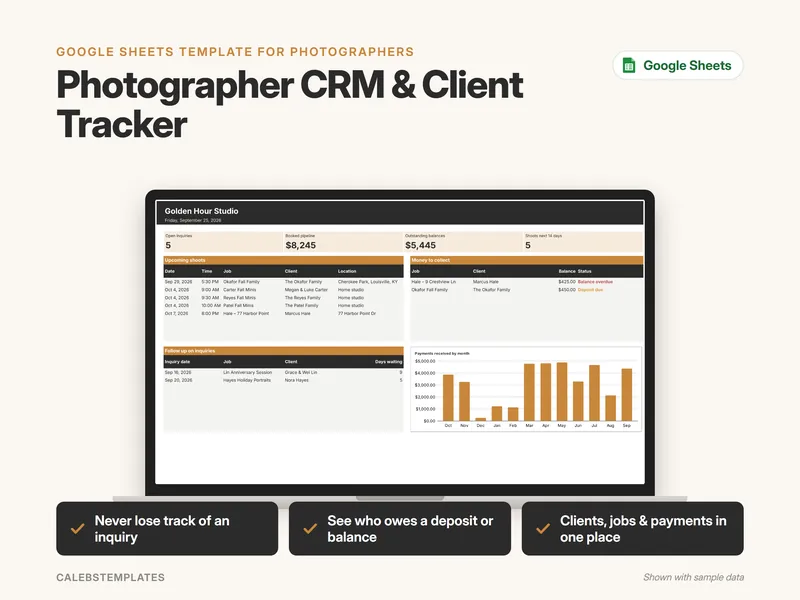
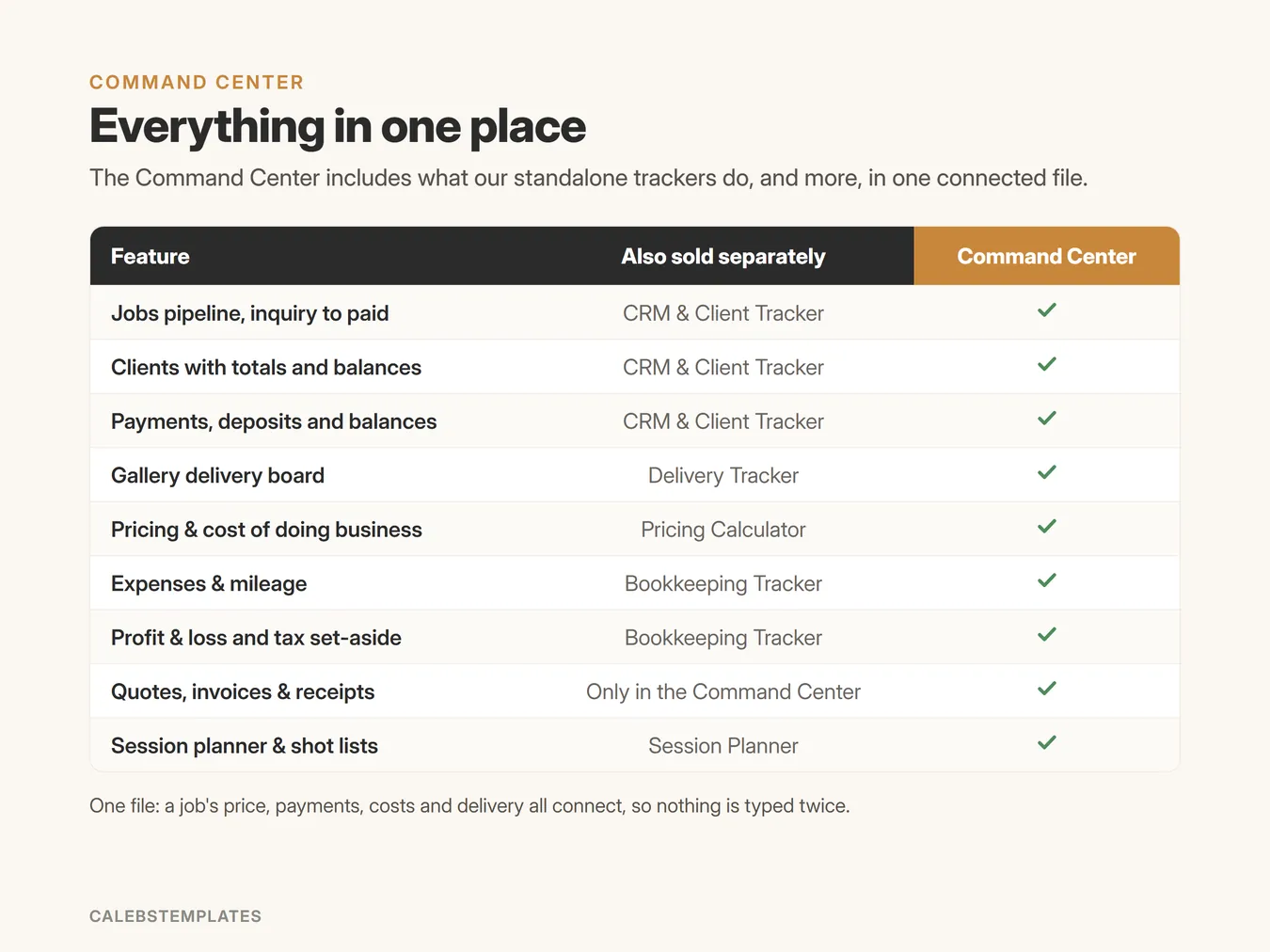
Photographer CRM & Client Tracker
Track every inquiry, client, job and payment in one simple Google Sheet, and see who to follow up with and what money to collect.
$10.00View template →
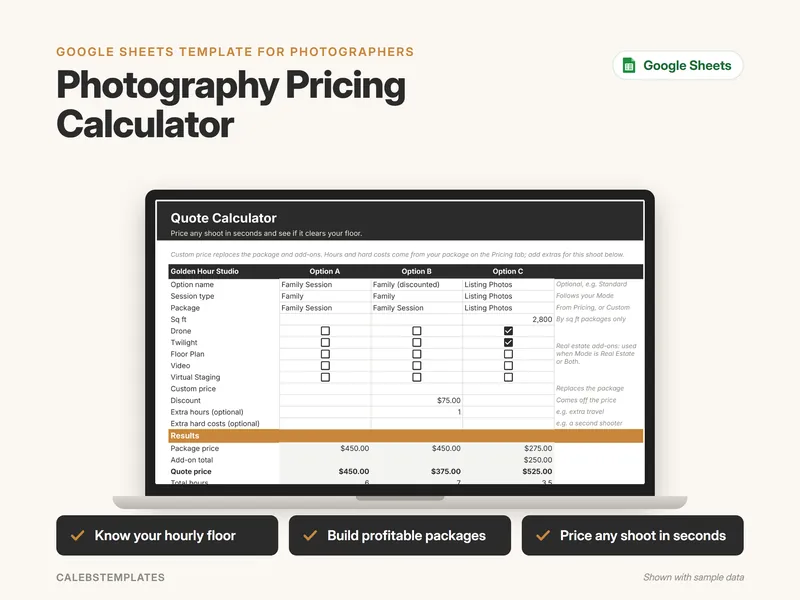
Photography Pricing Calculator
Work out what your photography business needs to earn, turn it into an hourly floor, check every package against it, and price any shoot in seconds.
$10.00View template →
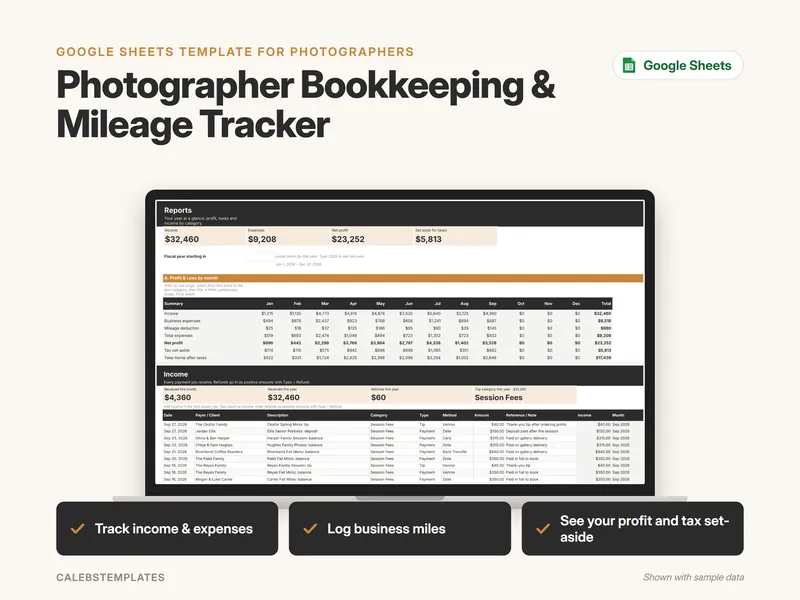
Photographer Bookkeeping & Mileage Tracker
Simple bookkeeping for your photography business: log what comes in, what goes out and the miles you drive, and Reports shows your monthly profit, a tax set-aside estimate and income by category.
$12.00View template →